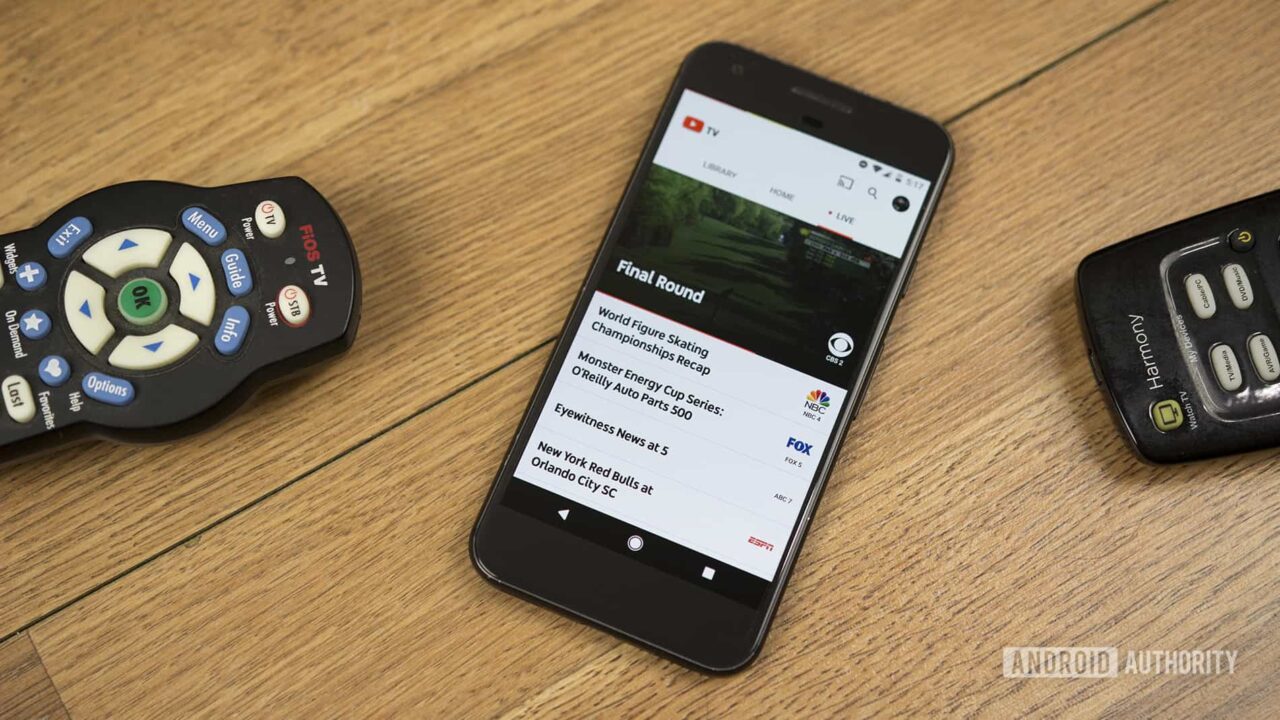
If you’re staring at your cable bill wondering how it got so expensive, you aren’t alone. It’s a mess out there. Most people I talk to are tired of the hidden equipment fees and the "regional sports surcharges" that seem to climb every single year. That’s why YouTube TV with Verizon has become such a massive talking point for anyone trying to cut the cord without losing their local channels or the Sunday night game.
But here is the thing.
The relationship between Verizon and YouTube TV isn't a single, simple "yes or no" offer. It’s a shifting landscape of credits, billing integrations, and specific plan requirements that change depending on whether you are looking at 5G Home Internet, Fios, or a mobile plan. Honestly, it’s kinda confusing if you just look at the marketing fluff. You’ve probably seen the ads promising "on us" deals, but the fine print usually has more to say than the bold text.
The Reality of the Verizon Discount
Let's get into the weeds. Historically, Verizon used to push its own Fios TV packages hard. They wanted you in that ecosystem. But lately, they’ve pivoted. They realized that maintaining miles of physical cable infrastructure for TV is a headache compared to just letting Google handle the streaming side. Now, Verizon basically acts as a middleman for YouTube TV.
For a long time, the "gold standard" deal was the free year of YouTube TV for new 5G Home Internet Plus subscribers. That was a massive value. Today, those offers are more seasonal. Usually, you’re looking at a $10 or $15 per month credit for a set period—often 12 months—if you’re on a qualifying 5G Home or LTE Home Internet plan. If you’re a Fios customer, the integration is more about "one bill" convenience. You sign up through your My Verizon dashboard, and instead of two separate charges hitting your bank account on different days, the YouTube TV cost just sits right there next to your internet charge.
It sounds small, but managing one less password and one less billing date is a win for most people. However, you need to be careful. If you already have a YouTube TV account under a specific Gmail address, linking it to your Verizon bill can sometimes be a technical nightmare. It’s often easier to start fresh or ensure your Verizon email matches your primary Google identity before you flip the switch.
Why the Tech Matters More Than the Price
Content is one thing, but how it actually hits your screen matters more. When you run YouTube TV through a Verizon 5G Home Internet connection, you are relying on fixed wireless access. This isn't your grandma's DSL. We’re talking about mmWave and C-Band spectrum that can deliver speeds over 300 Mbps easily.
Why does this matter for YouTube TV?
Buffering. Nobody wants to see that spinning circle right when the quarterback throws a deep ball. YouTube TV is unique because it offers a 4K Plus add-on. If you’re trying to stream the Olympics or a Premier League match in 4K, you need a stable pipe. Verizon’s 5G Ultra Wideband handles this better than most older cable lines. Plus, YouTube TV’s interface is just... faster. It feels like a tech product, whereas traditional cable boxes feel like they’re running on software from 2004.
The "Key Plays" feature is another reason people make the jump. If you join a game late, YouTube TV lets you watch a quick montage of the biggest moments before dropping you into the live feed. Verizon doesn't build that; Google does. But Verizon provides the low-latency path that makes that "live" feel actually live.
The Hidden Cost of "Unlimited" Cloud DVR
One of the biggest selling points for YouTube TV with Verizon is the unlimited DVR. There are no boxes to rent. No $15/month "DVR service fee" like you see with Comcast or Spectrum. Everything lives in the cloud for nine months.
But here’s a nuance people miss: Local channel availability. Verizon sells its services nationwide, but YouTube TV relies on your "Home Area." If you’re using a mobile hotspot or a 5G Home Gateway that occasionally pings a tower in a different zip code, your local news might get wonky. Usually, it’s a quick fix in the settings, but it’s a quirk of the technology that traditional hard-wired Fios TV doesn't deal with.
Comparing the Mobile Experience
If you have a Verizon Unlimited Plus or Unlimited Ultimate mobile plan, you might see "perks" in your account. Verizon’s +play platform is their attempt to be the "hub" for all your subs. You can often find YouTube TV listed there.
Sometimes they offer "Seasonal Sports" bundles. For instance, during the NFL season, there have been massive pushes for the NFL Sunday Ticket, which is now exclusive to YouTube TV. Verizon has been known to give the Sunday Ticket away for free to customers who upgrade to certain phone tiers or home internet plans. If you are a football fan, that’s a $350+ value that completely changes the math on whether your Verizon bill is "expensive" or not.
Is it worth switching your phone plan just for a streaming discount?
Probably not. But if you’re already on a premium tier, leaving that money on the table is just silly. You have to manually activate these perks in the My Verizon app. They don't just "happen." I’ve talked to so many people who were eligible for six months of free service and never clicked the button. Don't be that person.
The Fine Print Nobody Reads
I’m going to be blunt. The "one bill" thing is a double-edged sword. If you have a dispute with Verizon over your internet speed and you stop payment, your YouTube TV goes dark too. When they are separate, you have more leverage.
Also, the discounts are almost always "new subscriber" only. If you’ve had YouTube TV in the last couple of years under your current email, the Verizon system might reject the promo code. You might need to use a different Google account to get the deal to stick. It’s a bit of a "hack," but it works.
What About Fios Users?
Fios is the "prestige" internet. Fiber optic is objectively better than 5G Home Internet for gaming and heavy streaming because the upload speeds are symmetrical. If you have Fios, Verizon will still try to sell you their VMS (Video Media Server) boxes.
Don't do it.
The boxes are clunky. Just get the Fios 1 Gig or 500 Mbps plan and add YouTube TV separately. Even without a specific "Verizon discount," you’re saving $20–$30 a month just by not renting those boxes for every bedroom in your house. You can use a Roku, an Apple TV, or just the app on your Smart TV. It's cleaner. It's better.
Making the Move: Actionable Steps
If you’re ready to stop overpaying for a bundle of channels you don't watch, here is the move. It’s not a magic trick, just a logic flow.
- Audit your current My Verizon account. Log in and look for the "+play" tab or the "Perks" section. If you see a YouTube TV or "Monthly Credit" option, grab it.
- Check your 5G Home Internet eligibility. If you are moving or looking to switch ISPs, ask specifically about the YouTube TV promo. They often won't volunteer it unless you bring it up.
- Confirm your "Home Area." When you first sign in to YouTube TV on your Verizon-connected device, make sure your zip code matches your billing address so you get the right local sports and news.
- Ditch the hardware. If you’re coming from a traditional cable setup, return your boxes immediately. That's where the real savings live.
- Evaluate the 4K Plus add-on. Unless you have a massive 75-inch screen and watch a lot of live sports, you probably don't need it. The standard 1080p stream on YouTube TV is significantly higher bitrate than what you’re used to on standard cable.
The bottom line is that YouTube TV with Verizon is less of a "product" and more of a strategic partnership. It’s designed to keep you in the Verizon ecosystem while giving you the best streaming interface on the market. It isn't perfect, and the promo credits eventually expire, but for a year or two, it’s arguably the smartest way to watch television in 2026.
Just keep an eye on those "promotional period" end dates. Mark them in your calendar. When the credit drops off, that’s your cue to look for the next deal, because in the streaming world, loyalty rarely pays. It's all about who's offering the next credit.


